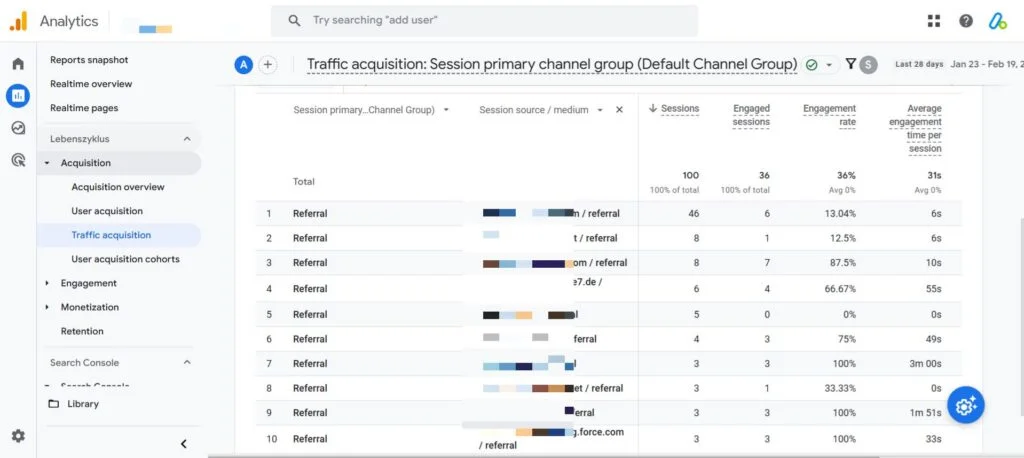
Let us step into a familiar scene. It is a Wednesday morning and you have two browser tabs open. One displays your affiliate network dashboard while the other shows Google Analytics 4. The network claims 412 sales came from partners last month. GA4 insists the number is 198. Same month, same store, yet a gap worth thousands of dollars separates them. You refresh both but the numbers refuse to move. Somebody is wrong, and you need the truth before the finance call at noon.
This situation plays out in marketing departments everywhere. The frustration is real, and the financial stakes keep rising. U.S. affiliate marketing spend reached close to 12 billion dollars in 2026, up from 9.56 billion in 2023. That is real budget riding on numbers you can actually trust.
Why Your Affiliate Numbers Never Match GA4
The core problem is simple. Your network and GA4 measure different things entirely. The network counts referred sales while GA4 counts sessions and events on your own site. Neither tool is lying to you. They simply answer different questions, like two referees watching the same match. One watches the ball while the other watches the offside line. Both are correct, yet their notes never look identical.
A partner sends a click. The visitor browses your site, leaves, then thinks it over for three days. They return through a Google search and make the purchase. Your network still credits the partner who started the journey. GA4 often credits organic search because that was the last touch it recorded. One sale, two very different stories.
What You Need Before You Start
Setup goes faster when you gather the pieces first. None of this is hard to find, and most of it you already own. You need admin access to your GA4 property. Without it, you cannot toggle settings or register dimensions. You need to know your affiliate link pattern. Look at one partner link and find the marker, usually a path like slash go, or a query like ref or aff. A Google Tag Manager container helps for the advanced method, though the native method works without it.
Finally, decide what success looks like. For most teams, tracking affiliates in GA4 means three trusted numbers per partner. You need clicks, sales, and revenue. Keep that goal pinned as you build, and the rest becomes mostly clicking through menus.
Method One: Native GA4 Affiliate Tracking with No Code
You can start tracking affiliates without calling a developer. The native path uses settings already sitting inside your property. It is the fastest way to get a real number on the board. This method suits smaller programs and quick validation. It will not capture commission logic, but it proves the channel is alive and clicking.
Open Admin, then Data Streams, then your web stream. Find Enhanced Measurement and switch on Outbound clicks. Save and close. GA4 now logs a click event whenever someone leaves for another domain. affiliate links point off-site by nature, so they qualify automatically. This takes about two minutes and needs zero code on your pages.
Wait a day for data to gather. Head to Reports, then Engagement, then Events. You will see click events stacking up in the list. Open the click event and look at the link_url parameter. It holds the destination of every outbound tap. Filter that field for your affiliate domains, and the raw click volume appears in front of you.
Create a Custom Event for Affiliate Clicks
Raw outbound clicks blend everything together. Your footer social icons and your high-value affiliate links land in the same bucket. Build a custom event to isolate the ones that matter. In Admin, open Events, then choose Create event. Name the new event affiliate_click so its purpose is obvious. Set the matching condition with care using event_name equals click, plus link_url contains your affiliate marker. Save it and you are done. Affiliate clicks now live in their own clean event.
Method Two: Google Tag Manager for Full Control
Native tracking is quick but blunt. When you want precise rules and richer data, Google Tag Manager is the better tool. It is also where you start capturing the affiliate ID that powers revenue reports. GTM sits between your site and GA4, listening for actions then firing tags on your terms.
Open GTM and create a new trigger. Choose the type Click, then Just Links. This watches link clicks specifically. Set the trigger to fire on some link clicks only using the condition Click URL contains your affiliate marker. A tight trigger keeps your data clean while a loose trigger floods GA4 with noise.
Add a new tag of type GA4 Event. Connect it to your existing GA4 configuration tag. Name the event affiliate_click to match your native setup. Now pass useful parameters with the event including link_url for the destination and a custom affiliate_id value pulled from the clicked URL. That ID is the thread that later ties a sale to a single partner.
The UTM Naming System That Survives a Year
Events tell you what happened on your site. UTM parameters tell you where the visitor came from. You need both halves for proper affiliate tracking. UTMs are just labels added to a link. GA4 reads them on arrival and files the visit under the right source and medium. Use a flat, boring system on purpose. Three core fields carry most of the weight, and consistency beats cleverness every single time.
Say Jane runs a review blog and joins your program. Her link to your spring sale could include utm_source equals janedoe_blog, then utm_medium equals affiliate, then utm_campaign equals spring_2026. That one link now reports cleanly for months. Build a small spreadsheet with one row per partner. It is dull, and that is the point. Keep utm_medium identical for every partner. One typo like affilate without the second i splits your channel in two.
Capturing Affiliate Sales and Revenue
Clicks are nice. Revenue pays salaries. This is the section where most setups quit too early, and it is exactly where the value hides. The chain has three links, and each one matters. First, read the affiliate ID from the inbound URL the moment the visitor lands on your site. Second, store that ID inside a first-party cookie. Third, when the purchase event finally fires, attach the stored ID as a parameter. The sale now carries its partner name straight into GA4.
Your purchase event should already send a value and a currency. Add the affiliate_id parameter right beside them. Then register affiliate_id as a custom dimension in Admin. This step is easy to forget. Without it, GA4 quietly collects the data but refuses to show it in any report. For those looking to master these techniques, my comprehensive course on Affiliate Marketing covers this entire workflow in depth, helping you build a profitable tracking system from scratch.
Fix Attribution: DDA versus Last Click
Here is the setting that hides your money. Attribution decides which channel gets credit for a sale. GA4 defaults to data-driven attribution known as DDA. It uses machine learning to split credit across many touchpoints in a journey. That sounds fair on paper. For affiliates, it often shrinks the credit a partner earns for the very first click.
Go to Admin, then Attribution Settings. Many affiliate teams switch the reporting model to last click. That choice lines GA4 up with how networks actually pay commission. Then widen the conversion window. A reader who buys six days later still owes the credit to the partner who sent them. This single change explains why your two tabs disagreed all along.
Picture 100 sales that a partner introduced. Under DDA, GA4 might credit that partner with only 40 of them. The other 60 scatter across search and direct. Switch to last click with a sensible window, and now GA4 credits closer to 85 of those sales to the partner.
Five Mistakes That Break Affiliate Tracking in GA4
Most broken setups fail in the same handful of ways. Knowing them early saves weeks of bad data. Leaving the default attribution model is the big one. The data-driven default quietly starves your affiliate channel of credit. Inconsistent UTM mediums cause another common failure. A stray spelling splits one channel into two, scattering your partner totals across phantom sources.
Counting clicks but never sales leaves you with half the story. Carry the affiliate ID into the purchase event or you measure only part of your performance. Forgetting the custom dimension means you can send affiliate_id with every sale and still see nothing. GA4 hides unregistered parameters from reports. Finally, trusting a setup you never tested is dangerous. A tag that misfires looks identical to a partner who sent no traffic.
Building the Affiliate Report in GA4
Data with no report is just storage. The free form exploration turns your raw events into answers a manager can read. Open Explore, then start a blank Free form report. Drag affiliate_id into the rows slot as your main dimension. Each partner now gets a line of its own. Add affiliate_click events and purchase revenue into the values area. You now see clicks, sales, and dollars for every partner inside one tidy grid.
Sort the table by revenue, highest first. Your top three partners surface in seconds. Your dead weight becomes just as obvious, which is the harder truth to face. Save the exploration once it works. GA4 keeps it ready for next month with fresh data inside. You build the view once and reuse it forever.
My website design, search engine optimization, and digital marketing services with the famous trainer Nehme Sbeiti can help you set up these advanced tracking systems and optimize your entire affiliate program for maximum profitability.
Tracking affiliates in Google Analytics 4 is fully doable once you respect its limits. The tool is generous with behavior data and silent on commissions. Start with Enhanced Measurement for fast outbound clicks. Move to GTM when you need precise rules and an affiliate ID. Fix the attribution model and conversion window before you trust any total. Do these things and your two tabs will finally tell the same story. That is the whole game. Done right, it turns a monthly argument into a quiet, trusted number that guides your business forward.