Most people use ChatGPT to write captions. Some dig deeper, using it to brainstorm content ideas or research emerging trends. But very few people have figured out how to let it run their entire social media operation from start to finish. That scenario has changed dramatically with the arrival of a new open standard.
This standard is known as MCP, or Model Context Protocol. It is an open protocol that allows ChatGPT to connect directly to the tools you already rely on. Your scheduling platform, your design software, and your analytics dashboard can all be linked. Once you make these connections, ChatGPT does not just generate text. It takes action. Posts get scheduled, analytics reports are pulled, and visual briefs are created, all without you manually dragging files between browser tabs.
The result is two distinct paths for using ChatGPT in the current landscape. One path keeps you inside the workflow but accelerates every stage. The other path removes you almost entirely. Both methods are worth exploring, whether you manage a single brand or run a full agency. Let us look at the setup, the six core workflow stages, and the end to end systems that can operate without your direct involvement. If you are serious about making money online or scaling your e commerce presence, these strategies can free up hours of your week.
Understanding the New Role of ChatGPT
Before MCP, ChatGPT functioned primarily as a writing assistant. You would give it a prompt, it would generate a response, and then you would manually carry that response to your scheduler, your design tool, or your analytics dashboard. That manual handoff happened every single time. It was tedious and time consuming.
MCP removed that bottleneck entirely. Originally built by Anthropic and now adopted by major players like OpenAI and Google, MCP allows AI models to connect directly to external tools through Application Programming Interfaces, or APIs. No custom integrations are required. No third party automation platforms sit in between. When ChatGPT has an MCP connection to your scheduling tool, it can pull analytics, create drafts, and schedule posts directly from the same chat session. It can also connect to design tools to brief and generate visuals on the fly. ChatGPT is no longer just a place where you write things. It is now a central hub where your entire workflow can run.
Two Paths Forward: Chat and Codex
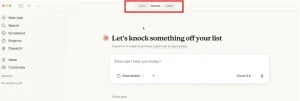
There are two primary surfaces where this automation works, and they operate quite differently. The first is ChatGPT Chat. This is the interface you already know. You connect tools through Apps, which is ChatGPT’s term for MCP connectors, and you run your workflow from within the conversation. Every session is started by you. The tools do the heavy lifting, but you remain the trigger.
The second surface is ChatGPT Codex. This is a separate, more powerful environment. It has full file system access. It configures MCP connections once through a config file that stays active across every session and every automated run. It stores reusable workflow instructions through Skills, and it runs complete pipelines on a schedule through Automations. If you are an agency owner or a power user who wants social media management to run itself, Codex is your tool. If you are a solo marketer who wants a faster manual workflow, ChatGPT Chat will serve you well.
The Six Stages of Social Media Automation
Regardless of which path you choose, the building blocks are the same. There are six stages to automate social media management with ChatGPT. Each stage covers what the tools handle, what Skills store for Codex, and real prompts that work across both paths.
Stage One: Research
Research is the foundation of any good content strategy. Tools like Apify or Firecrawl can pull competitor posts, trending topics, RSS feeds, and forum threads. Notion or your scheduling platform receives the output, with ideas saved directly to your content calendar. A research Skill stores your niche, content pillars, preferred angles, and what a strong content idea looks like. You can prompt ChatGPT to search a specific topic across social platforms and industry blogs, pulling the top trending topics from the last seven days. For each topic, you get a summary, a recommended content format, and a suggested post idea. This stage turns hours of scrolling into a few minutes of review.
Stage Two: Creating Posts and Visuals
This is where the magic happens. ChatGPT can generate graphics alongside copy by connecting to design tools. It can also pull transcripts from podcast or video content for repurposing. A Content Creator Skill stores brand voice, platform specific rules, and post length guidelines. A Visual Content Skill stores preferred graphic formats and image style notes. You can ask ChatGPT to write a set of posts for LinkedIn and Instagram, and then create a visual brief for the top LinkedIn post. It is like having a full creative team inside a single chat session.
Stage Three: Building Content Calendars
Once you have your research and your content, you need a plan. Notion receives the calendar output directly, while your scheduling platform saves the first week as a draft batch immediately. A Calendar Skill stores post frequency per platform, preferred content mix, and upcoming campaigns. You can ask ChatGPT to create a four week content calendar for a specific niche. It will include the post type, topic, platform, and a suggested day for each entry. This stage transforms scattered ideas into a structured, actionable plan.
Stage Four: Batching Content
Batching content is where you really start to save time. Your design tool batches visuals alongside copy in one run. Your scheduling platform receives the completed batch as organized drafts. The Content Creator Skill and Visual Content Skill from the previous stage carry through here. You can ask ChatGPT to take a content calendar and write twenty posts, platform matched, with visual briefs for carousel and infographic posts. Everything is saved as drafts, organized by platform. It is a one shot production run that covers an entire month.
Stage Five: Scheduling
Scheduling is the most straightforward stage. It requires only one connection to your scheduling platform. No new Skill is required because the posts are already sitting in drafts from the batching stage. This stage simply moves them to scheduled. You can instruct ChatGPT to schedule posts for specific accounts at specific times, Monday through Friday. You can also ask it to save drafts and flag them for client approval before publishing. For Codex users, scheduling fires as the final step in an Automation. The full pipeline from research through scheduling completes without manual input at any point.
Stage Six: Analytics
Analytics closes the loop. Your scheduling tool pulls performance data directly, with no CSV exports or manual downloads required. An Analytics Digest Skill stores the report format, recurring questions to answer each period, and performance flags to watch for. You can ask ChatGPT to pull last month’s analytics for an account. It will tell you which posts got the most engagement, what topics and formats performed best, and what you should post more of next month. This stage turns raw data into actionable insights.
Building End to End Workflows
Once you understand the six stages, you can combine them into complete systems. These workflows range from a weekly content sprint for solo marketers to a monthly hands off system for experienced users. There is even a content flywheel setup that turns every new blog post into a week of social content automatically.
For example, a weekly content sprint uses ChatGPT Chat and three connected Apps. In a single session, you research topics, write posts, brief visuals, and schedule the week. It looks like a week’s work disappearing in thirty minutes. You can even set a Scheduled Task to run this entire sequence on Monday morning. The content is delivered to you without you having to ask. One setup handles every week.
For agencies, a client batch workflow builds the pipeline once and then produces a full week of content across every client. Brand voice and content pillars are built in from the start. Visual briefs are generated alongside every post. Everything is saved as drafts, organized by client and platform. Once the team approves, one command schedules the full batch. If you are interested in learning how to build such systems for clients or for your own brands, you might find value in an Affiliate Marketing course that covers scalable content strategies. Alternatively, if you need help setting up these automated pipelines, you can explore how our team provides website design, search engine optimization, and digital marketing services with the famous trainer Nehme Sbeiti. These systems are designed to fit naturally with your business goals and flow.
The Future Is Running Without You
Social media management has never really been about scheduling posts or pulling analytics. Those tasks are the mechanics. The actual work is the judgment. Deciding what to say, to whom, and when requires a person. That is the part that will always need your human touch. What MCP changes is how much of that mechanical layer you have to sit inside. Research runs automatically. Posts get written, scheduled, and reported on without a manual trigger. The stages that were eating hours of your day now run while you are doing something else.
The future belongs to those who can set up these systems and then step back. The posts go out. The reports come in. And you were somewhere else, focusing on the strategic decisions that actually move the needle. That is not just automation. That is freedom.